How to Print Your JAF Translation at a Lawson in Japan
Received your JAF print code? Learn step-by-step how to easily print your translation at a Lawson in Japan, from the machine screen to picking up your document.
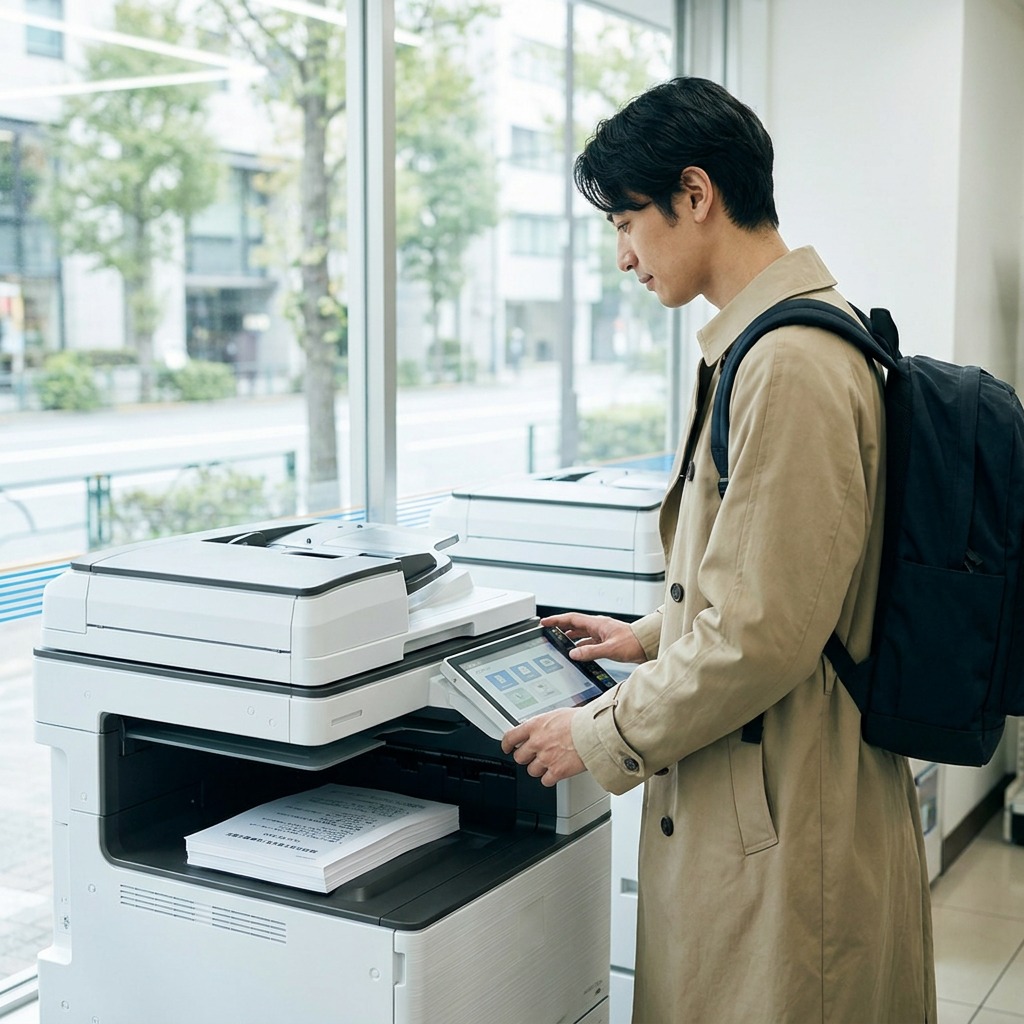
How to Print Your JAF License Translation at a Lawson Convenience Store in Japan
Introduction
Have you received your print code for your JAF license translation and now need to print it at a Lawson in Japan? Don't worry: the process is simple, quick, and accessible even if you don't speak Japanese.
Lawson convenience stores are equipped with multifunction machines that allow document printing via the Network Print service. The JAF instructions for Lawson and Ministop clearly state that you need to select "Network Print", enter the alphanumeric 10-digit code, check the preview, and then start printing.
Here's a step-by-step guide to printing your translation with ease.
Before You Begin
Before using the machine, make sure you have the following:
- Your print code;
- Your phone with the received email or instructions;
- 40 yen for the print;
- and two or three minutes of calm.
For Lawson, the required code is an alphanumeric 10-digit code.
1. Locate the Multifunction Machine
Upon entering Lawson, look for the multifunction machine. It's often located near the entrance or in a service area.
The official Lawson pages confirm that these machines allow document printing and the Network Print service.
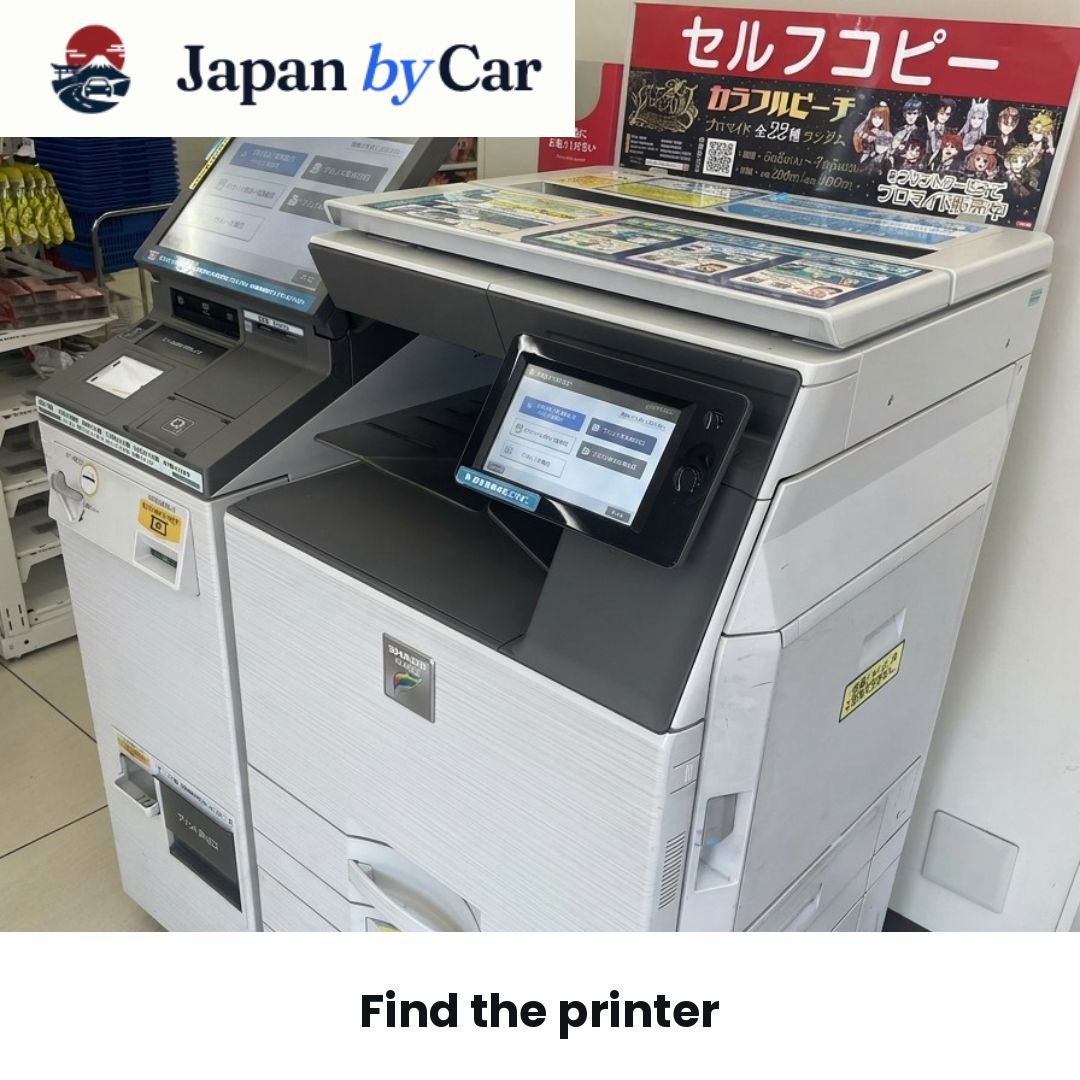
2. Find the Multifunction Printer
Go to the machine. Ensure it is the multifunction copier used for prints and network services.
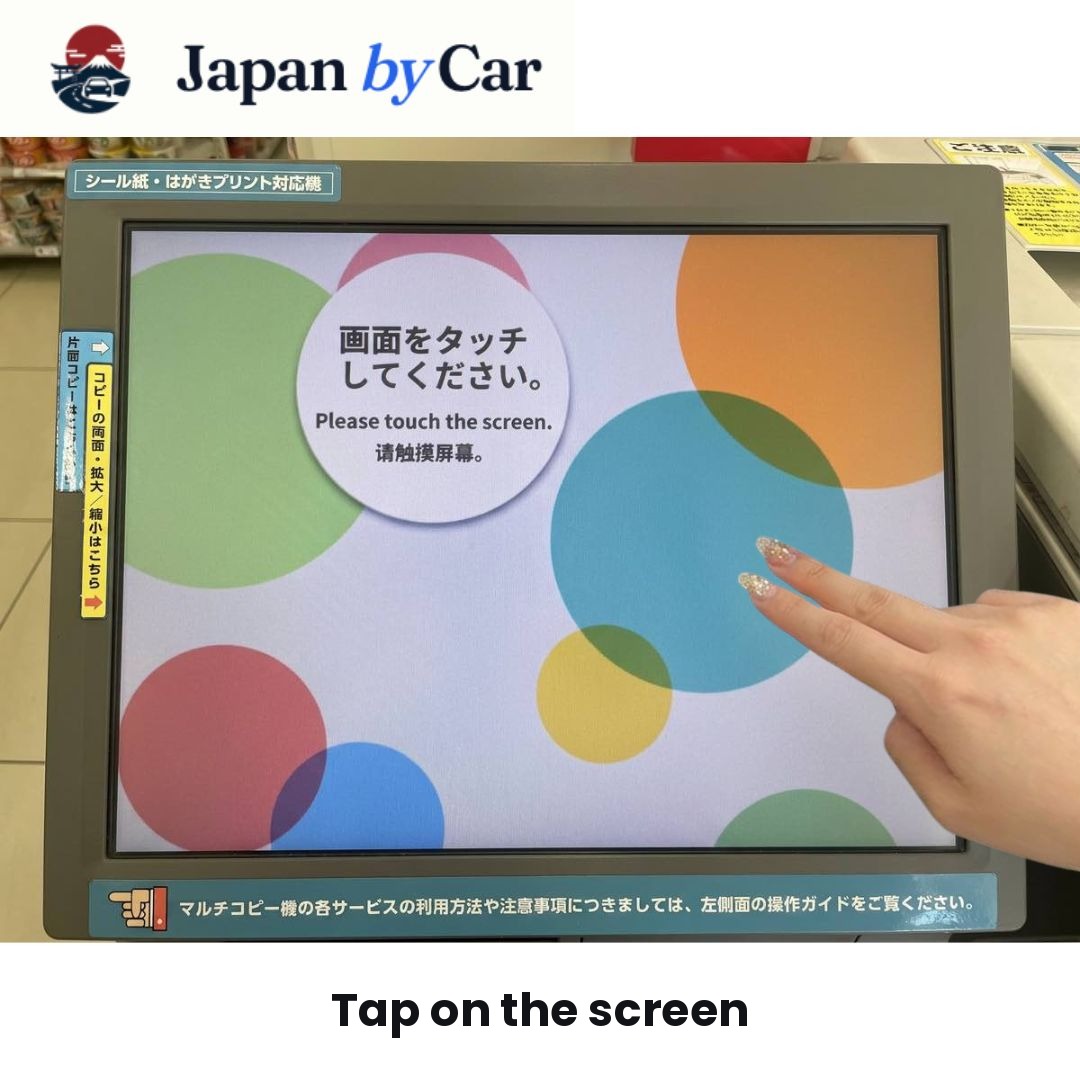
3. Tap the Screen
Touch the main screen of the machine to start the process.
You will then reach the start menu, which allows you to select the language and print mode.
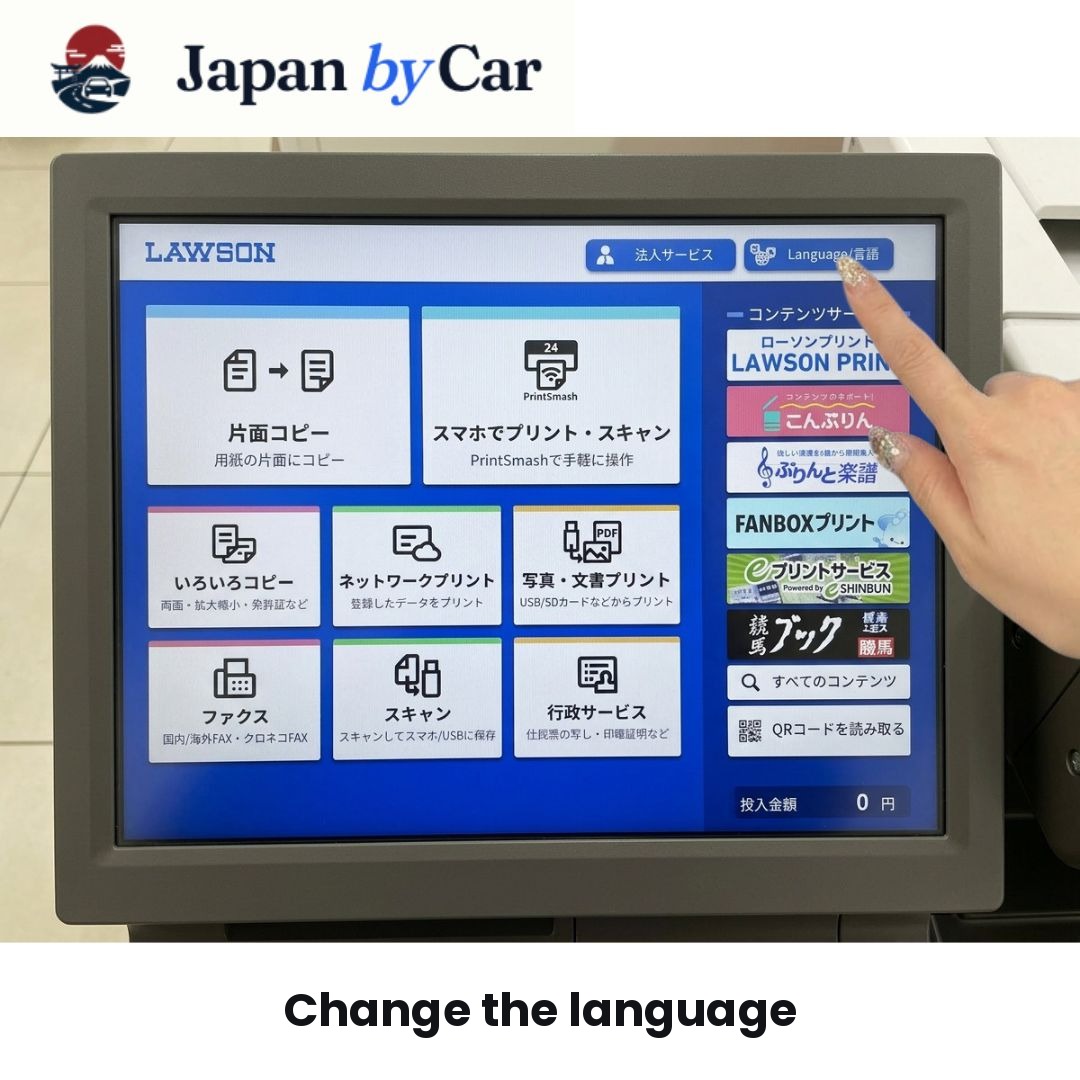
4. Change the Language
If the interface is in Japanese, first look for the language option.
The machine usually allows switching to a simpler interface for foreign travelers.
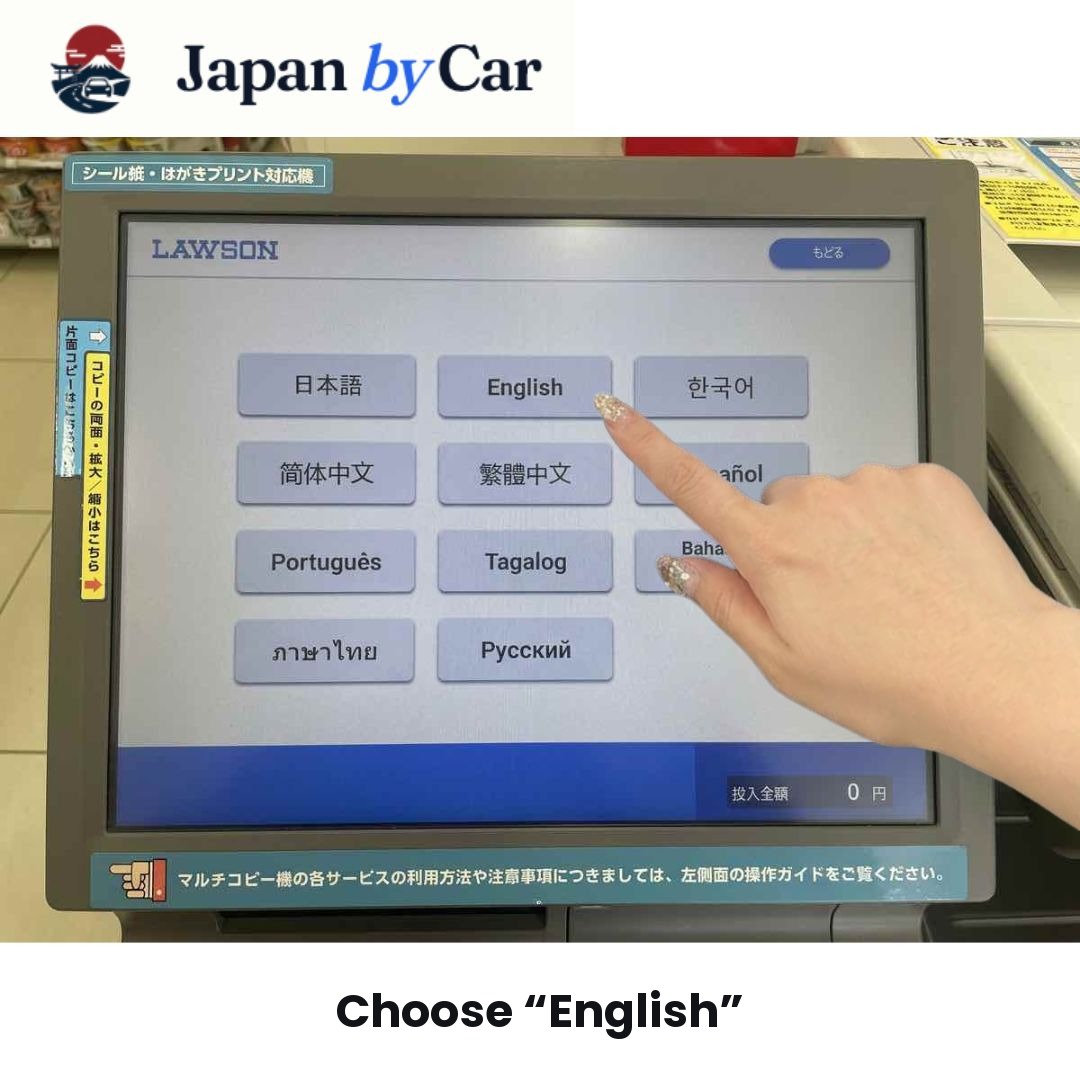
5. Select English
Choose English to proceed with a more understandable interface.
This helps avoid errors when entering your code and checking the settings.
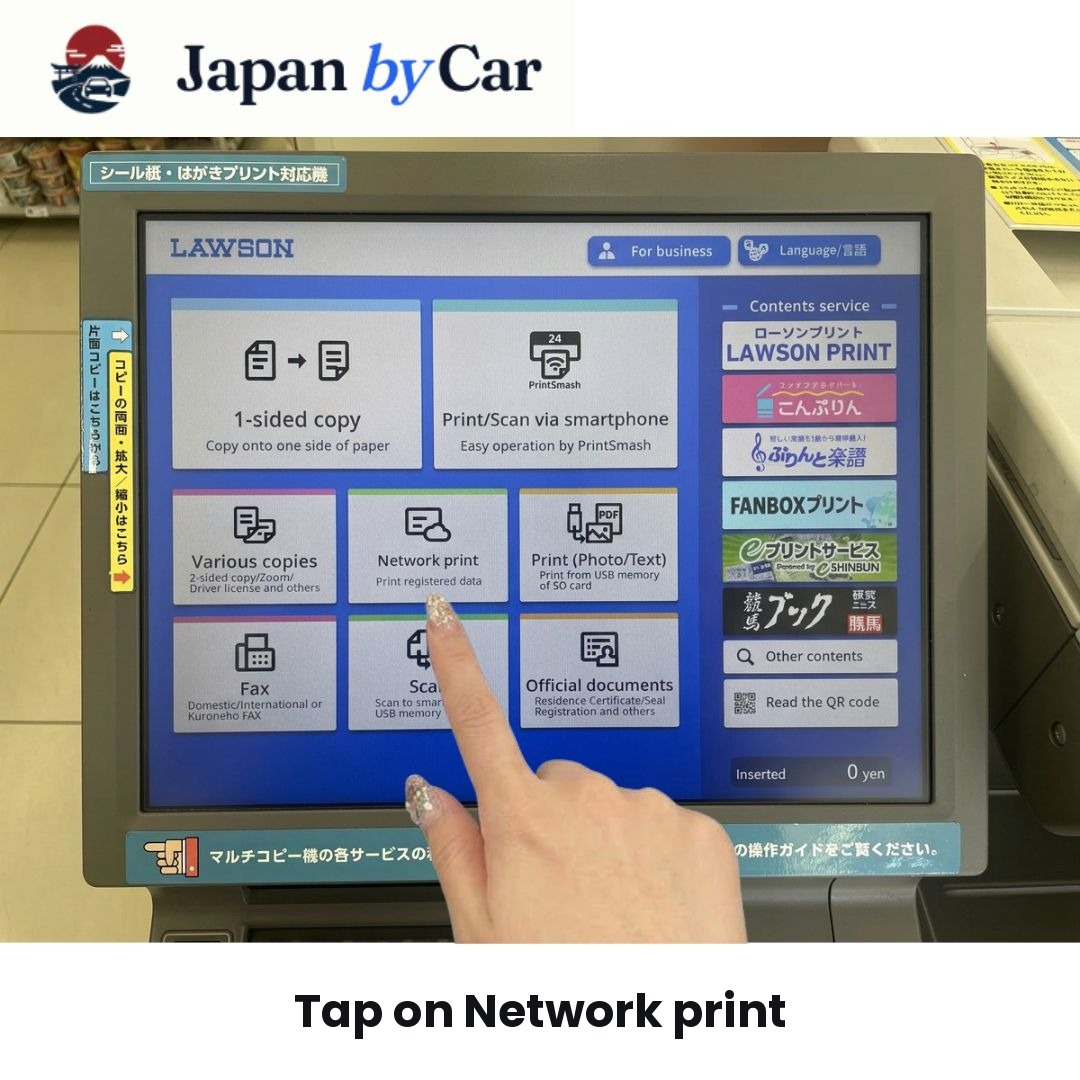
6. Click on "Network Print"
Select the "Network Print" option on the main screen.
This is the menu indicated by the JAF instructions for printing at a Lawson or Ministop.
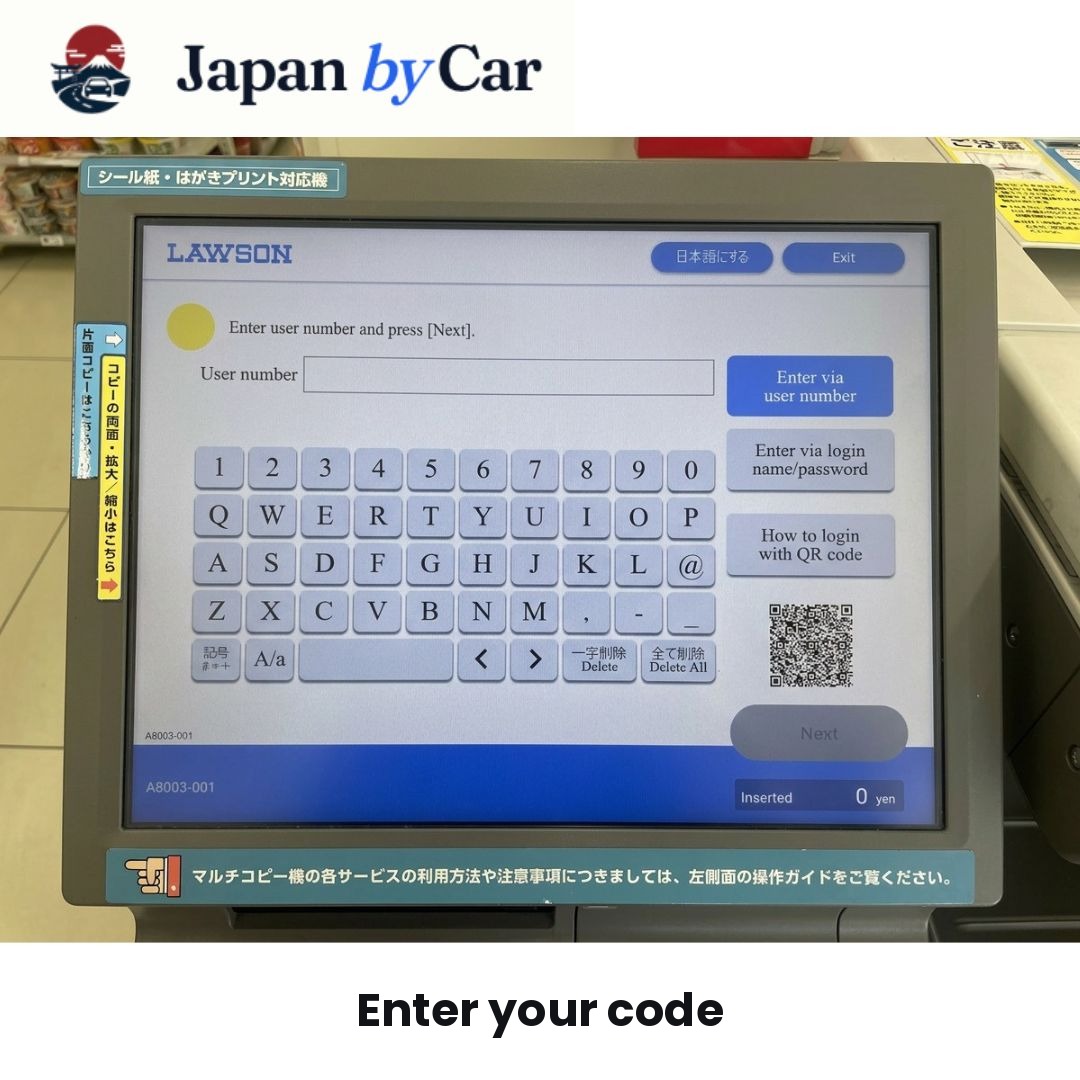
7. Enter Your Code
The machine will then prompt you to enter your print code.
Carefully input the alphanumeric 10-digit code you received and press "Next".
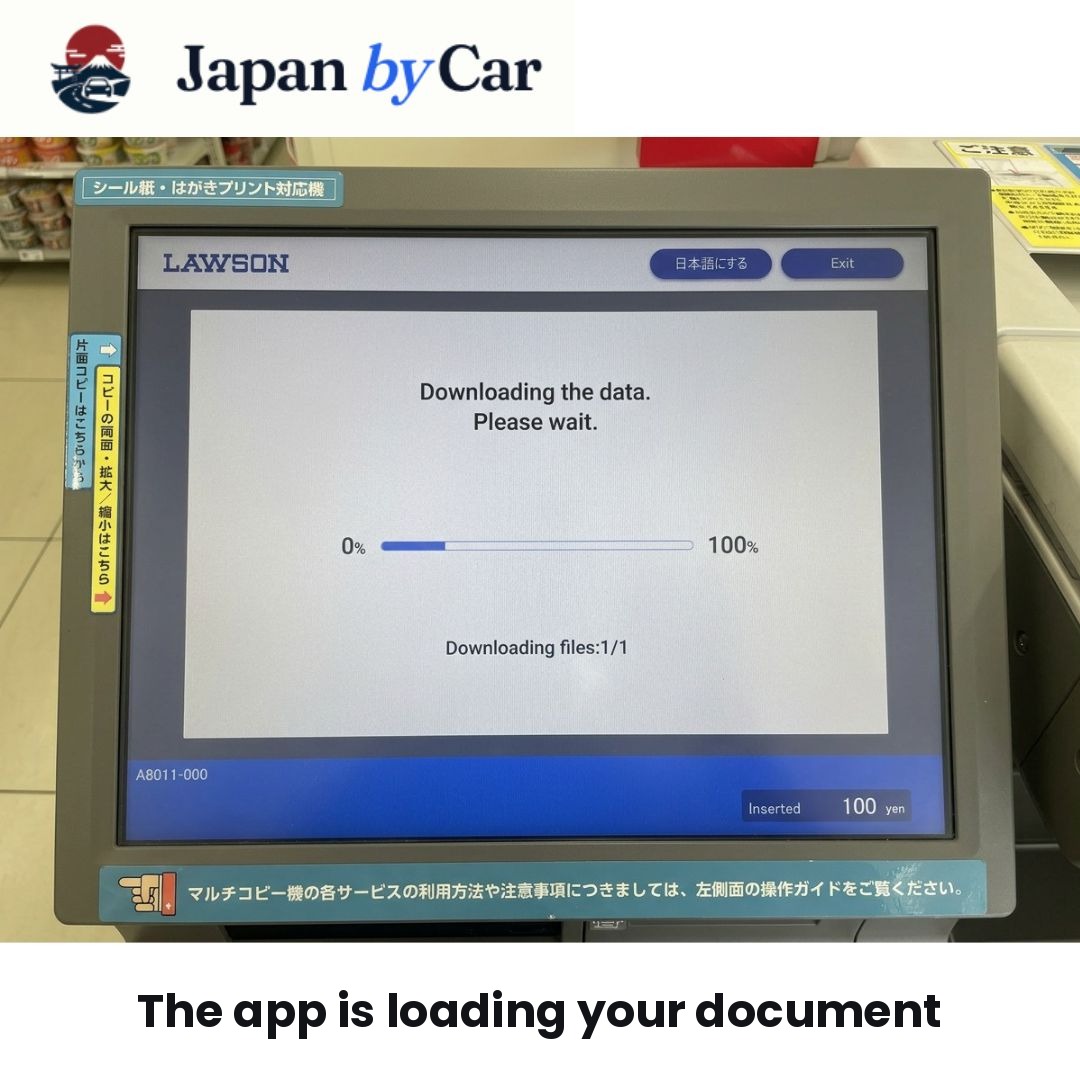
8. The Machine Searches for Your Document
After confirming the code, the machine automatically searches for your document.
Wait a few seconds while your JAF translation loads.
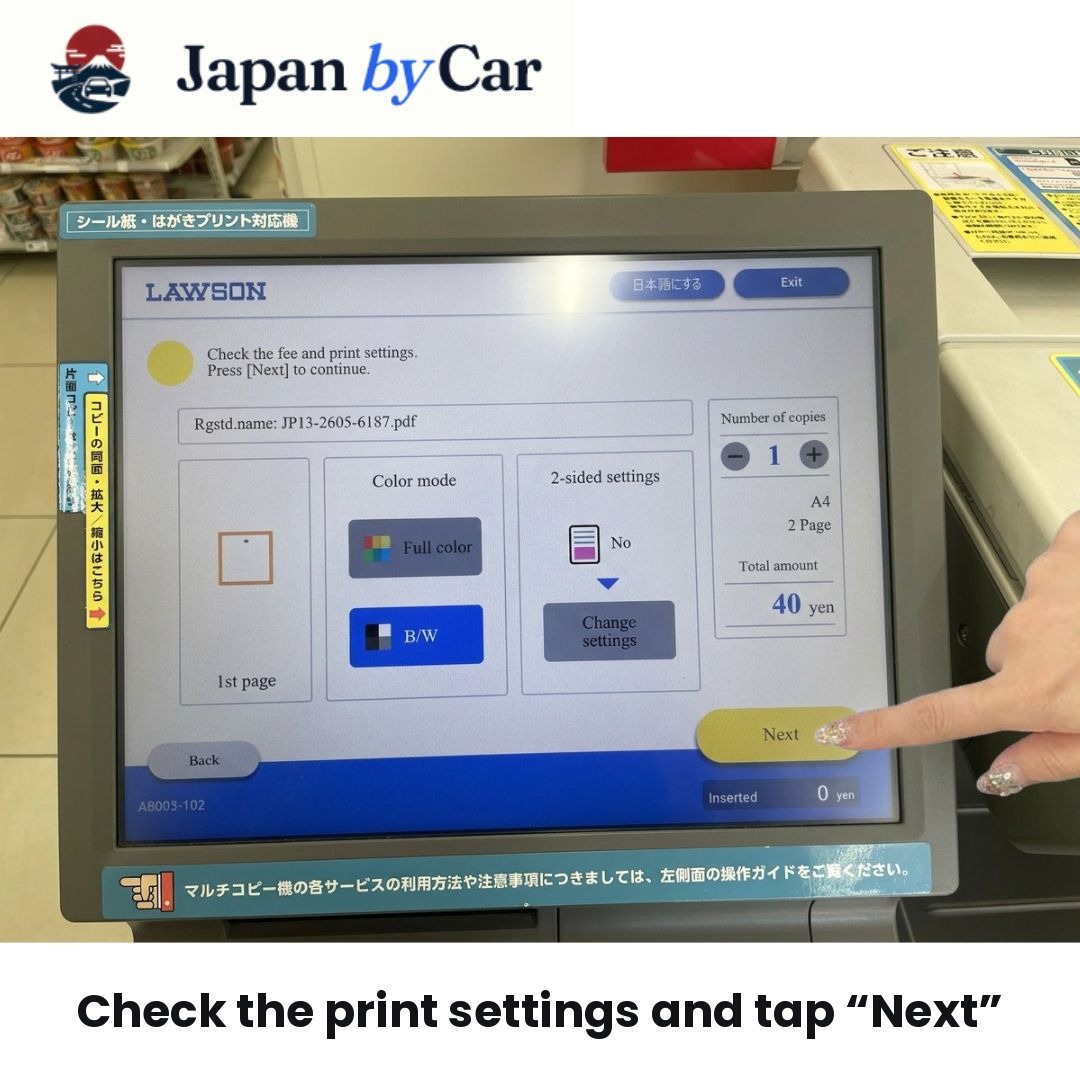
9. Check the Print Settings
The document preview will then appear on the screen.
Take a moment to check:
- the number of pages;
- the proper appearance of the document;
- the displayed amount;
- and the overall readability.
The JAF instructions indicate that it's usually unnecessary to change the settings: just check the preview and then proceed.
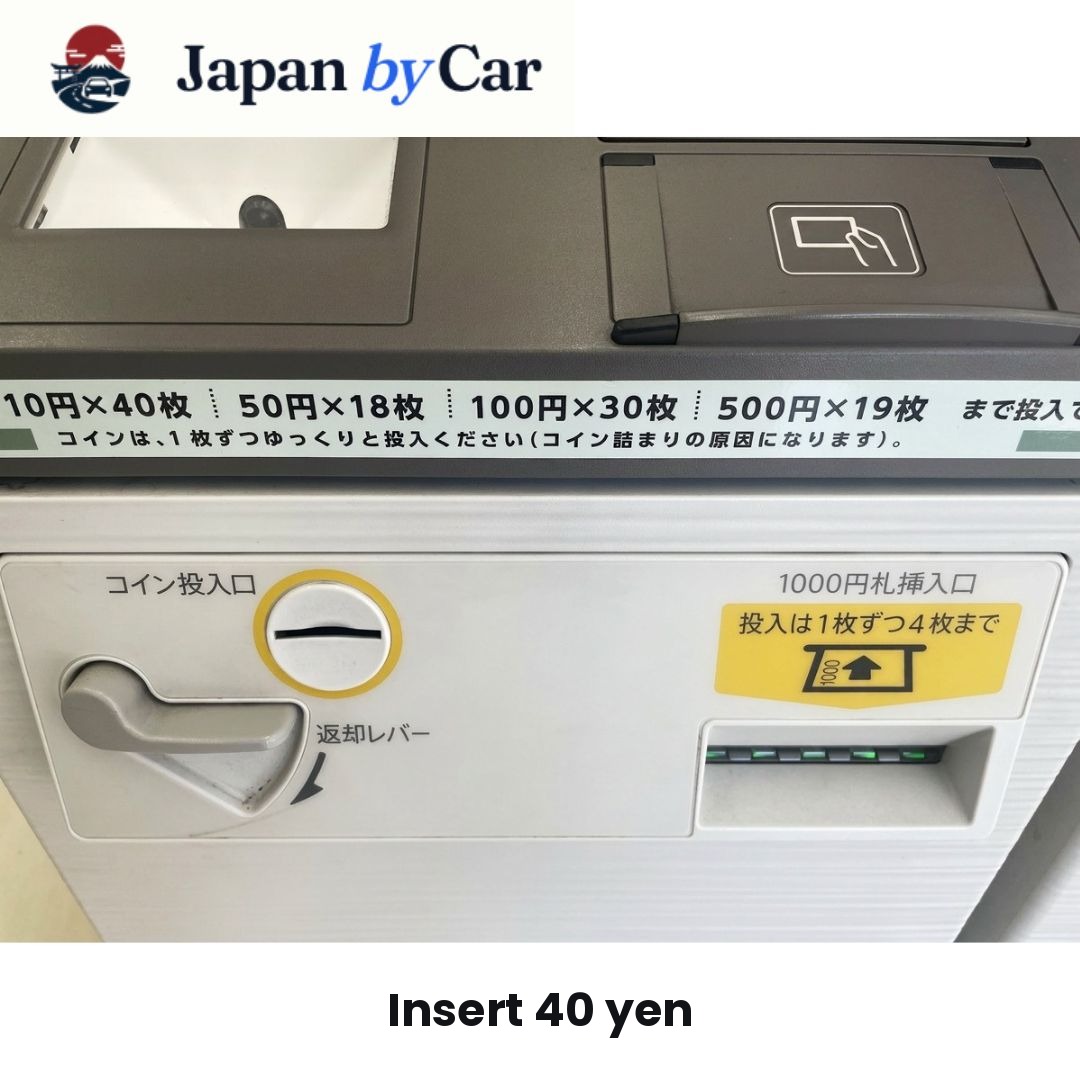
10. Insert 40 Yen
The machine displays the amount to be paid. For a standard JAF translation of 2 pages in black and white, 40 yen is typically required.
Insert the coins into the machine.
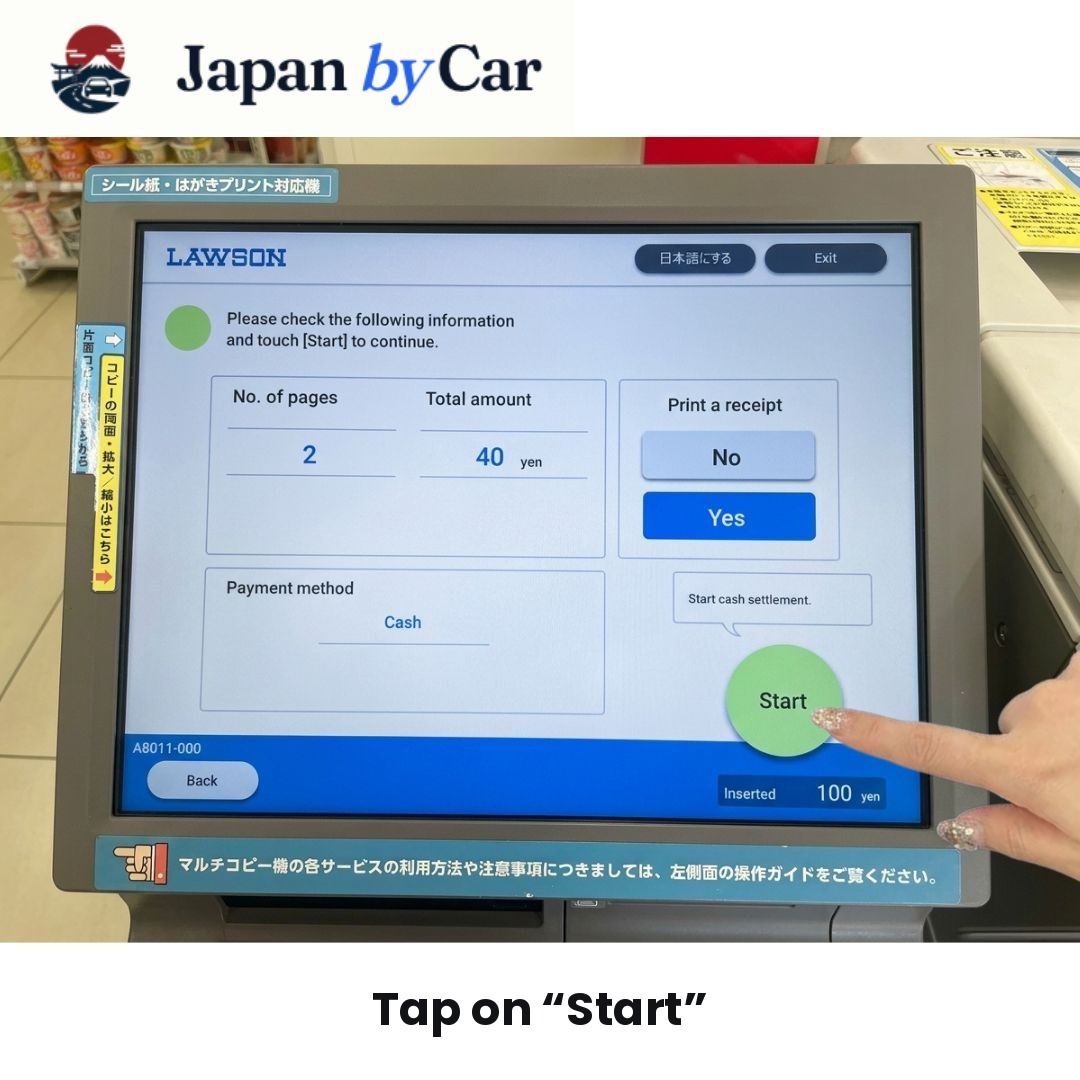
11. Start Printing
Once the payment is made, confirm to start printing.
The machine will then print your official JAF translation.
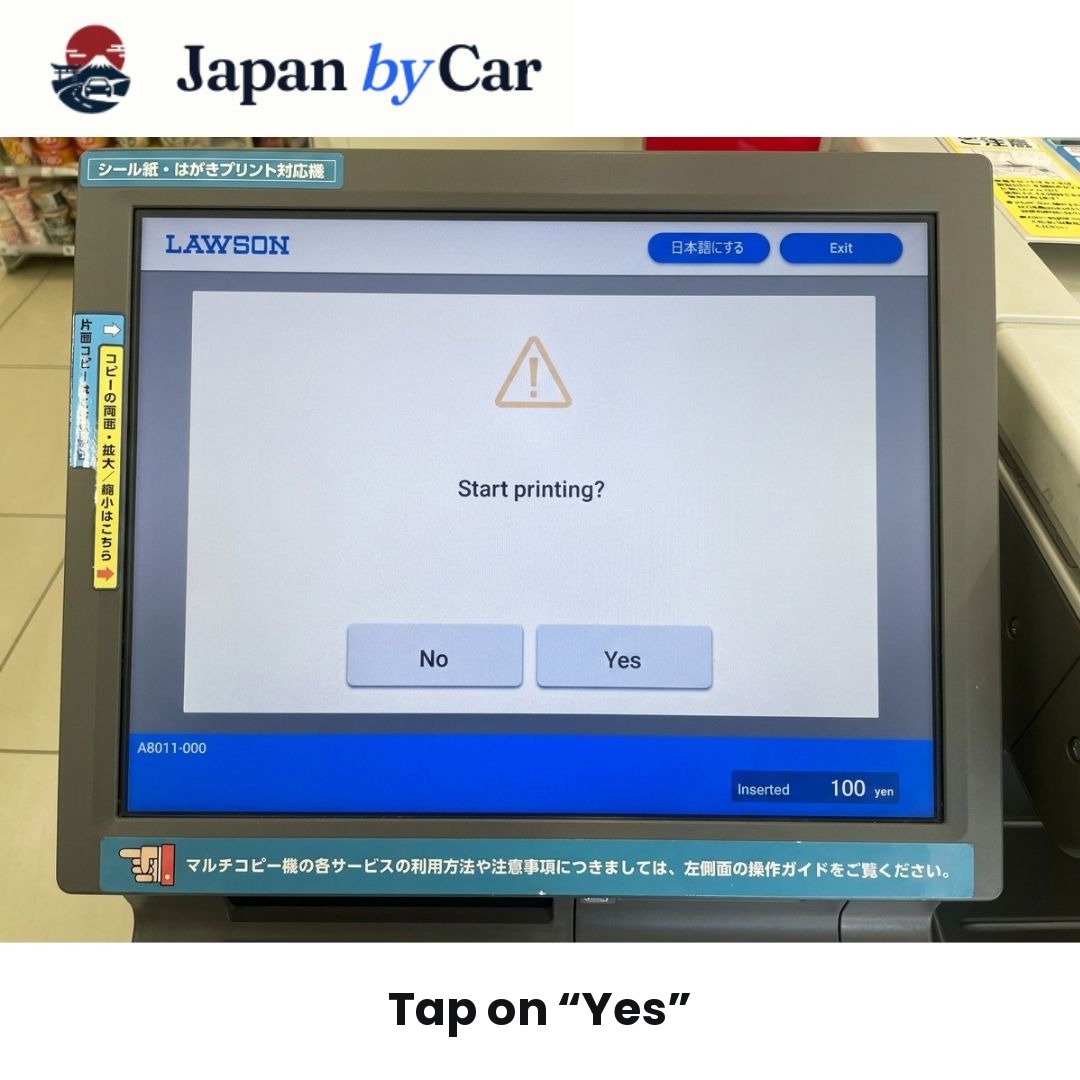
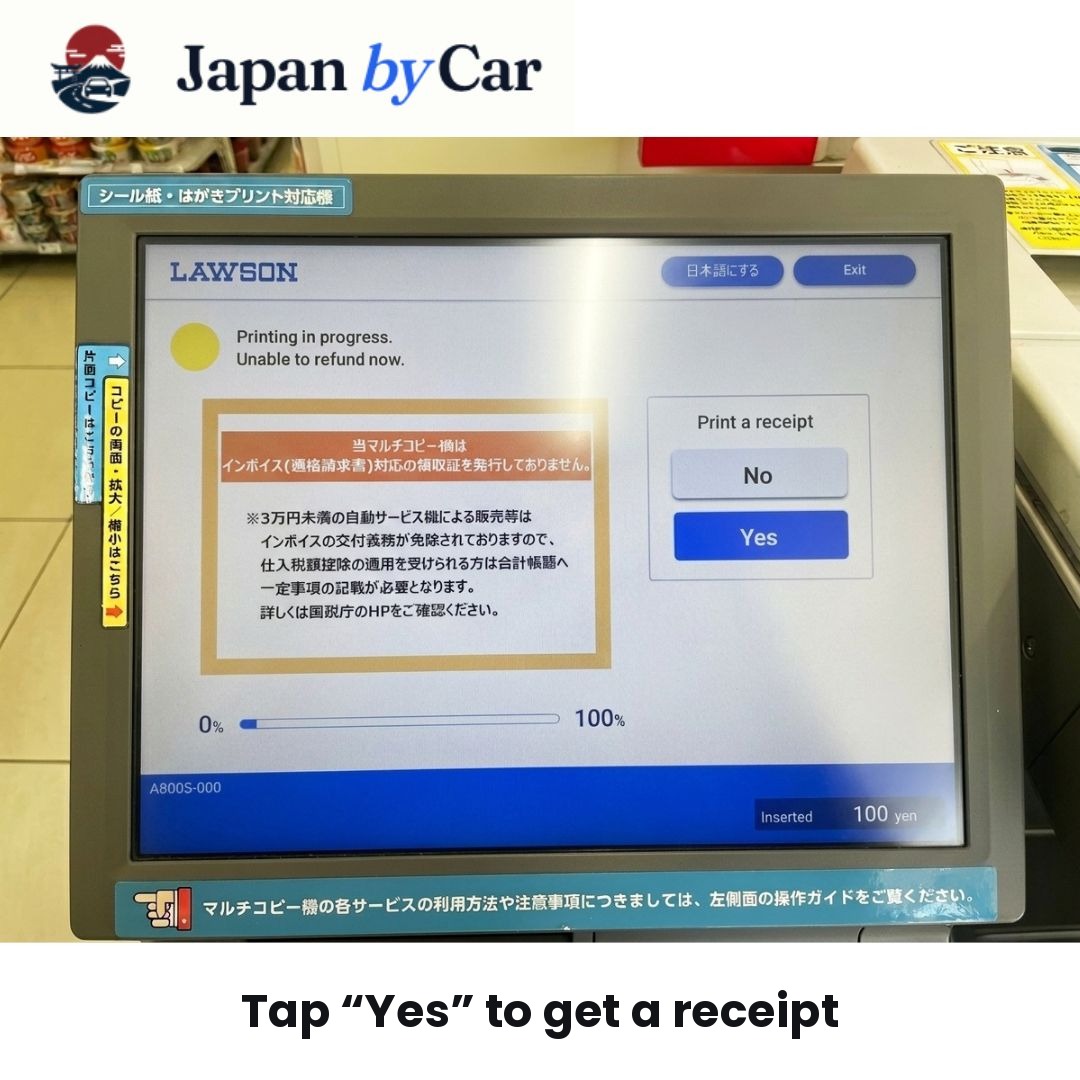
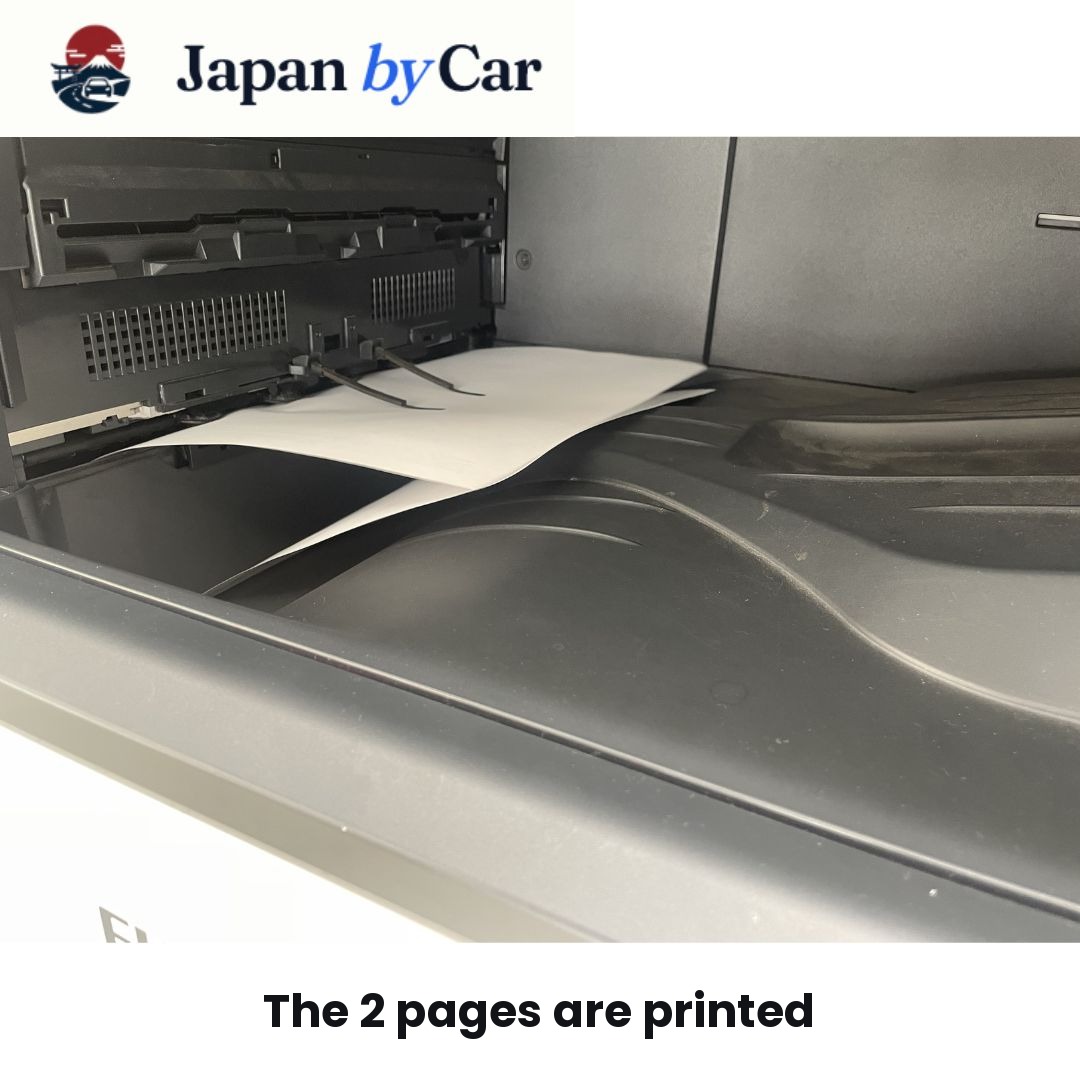
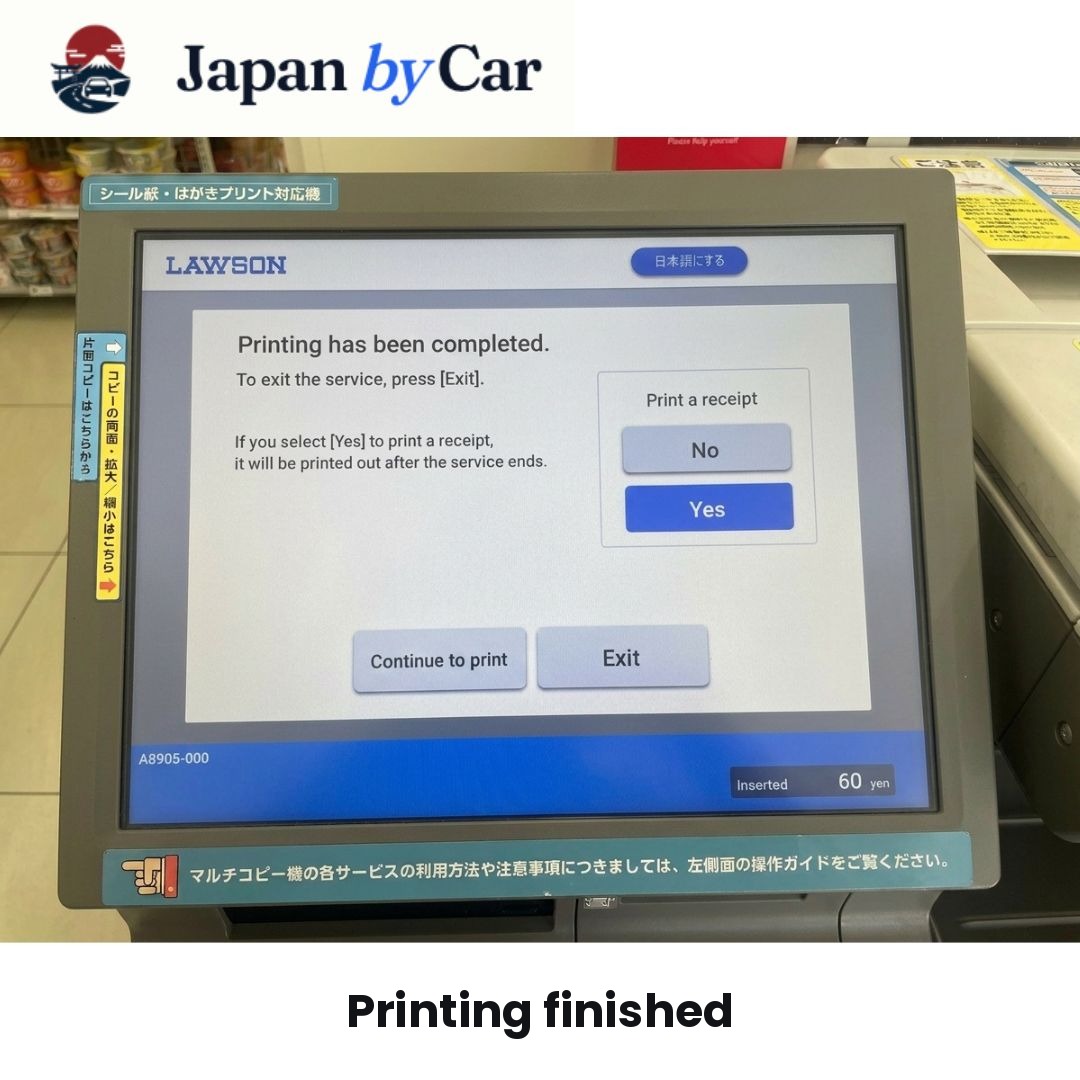
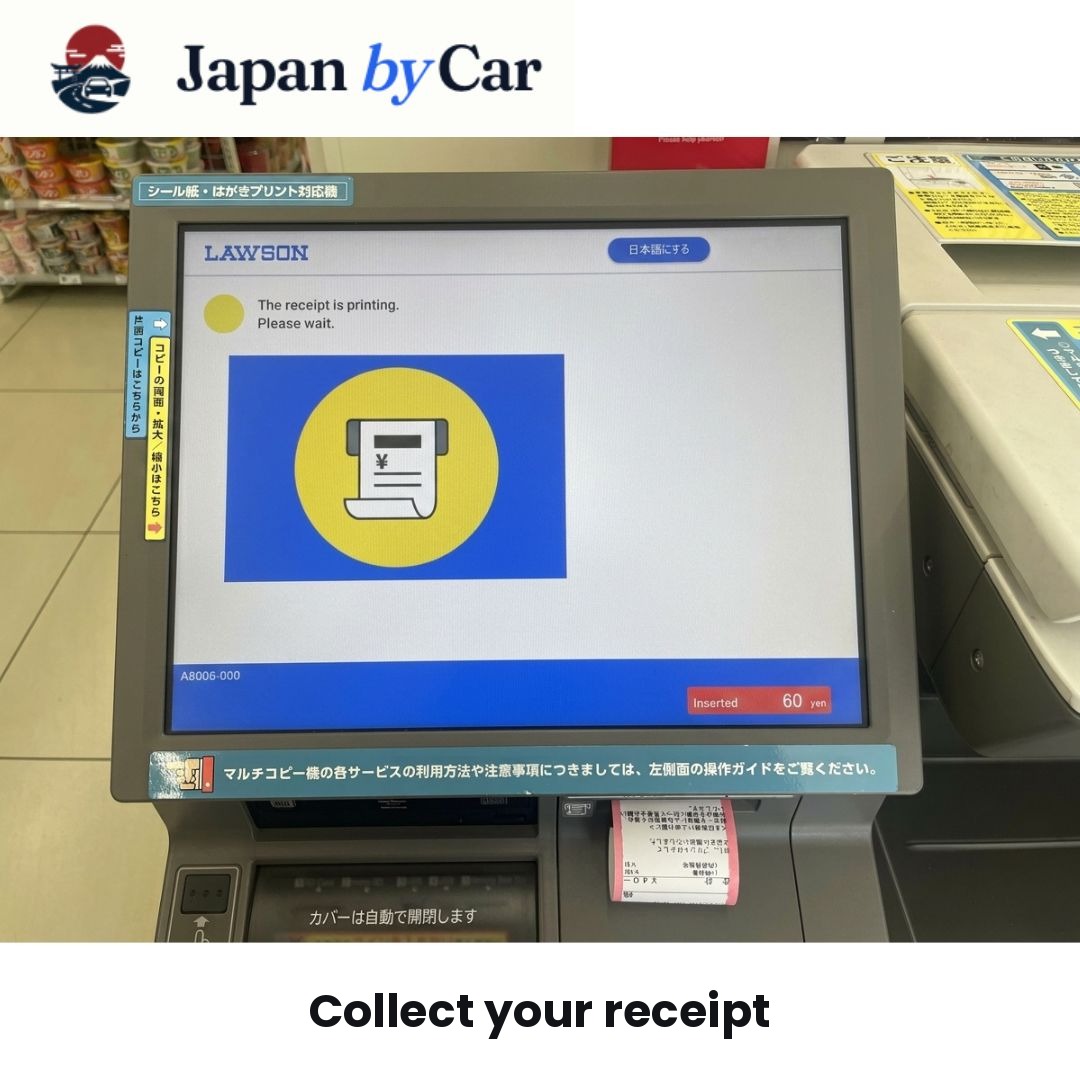
12. Take Your Receipt
When the printing is complete, take the receipt.
Even though it's not the main document, it's useful to keep it for a few moments until you've confirmed everything printed correctly.
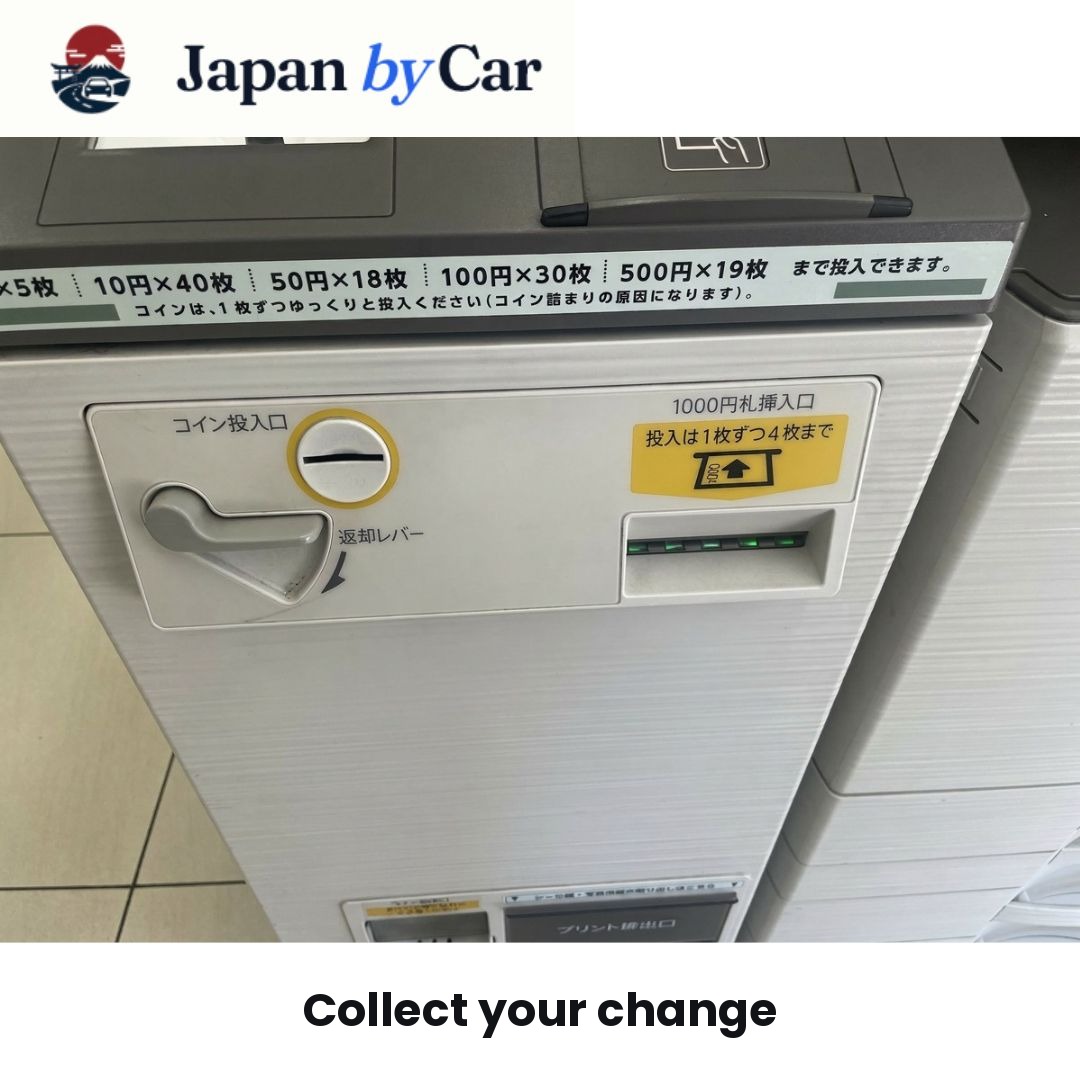
13. Collect Your JAF Translation
Then, collect your printed translation from the output tray.
Ensure you don't leave any pages behind.
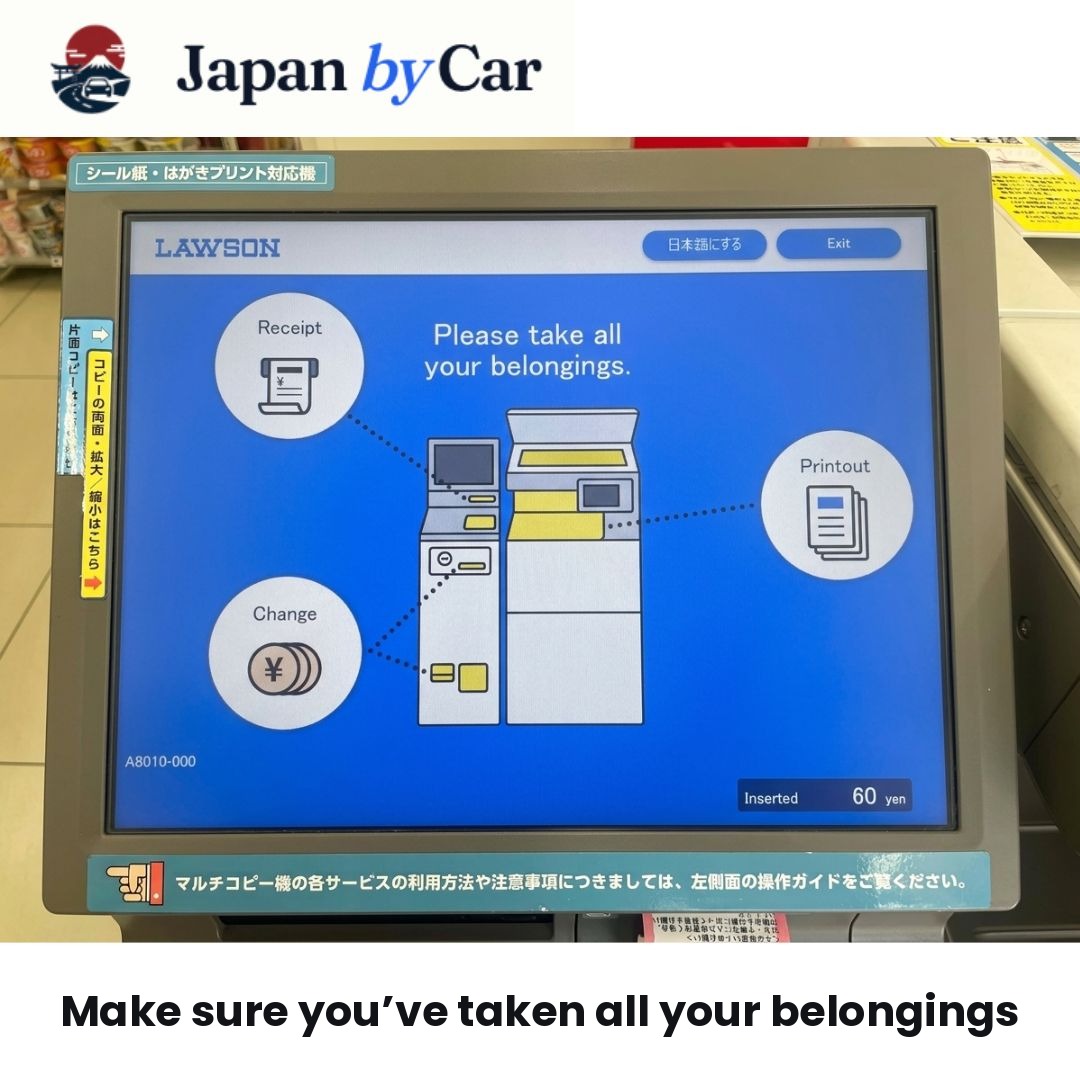
14. Check That All Pages are Present
Before leaving the machine, count your pages and quickly check that they are all readable.
This check takes only a few seconds but saves you from a problem just before picking up your car.
15. End the Session
If the machine displays a button to end or return to the start screen, press it to properly end the session.
16. Store Your Translation Immediately with Your License
Once you have your document, store it with:
- your original license;
- your passport;
- and your other rental documents.
This way, everything is ready for the vehicle handover.
17. Double-Check Your Instructions
Before leaving Lawson, quickly read through your email or instructions to confirm that you printed the correct document.
18. You're Ready to Hit the Road
Your JAF translation is printed, collected, and stored with your documents. You are now ready to pick up your car and drive in Japan with a greater sense of ease.
Quick Summary
To print your JAF translation at a Lawson:
- Find the multifunction machine.
- Touch the screen.
- Switch to English.
- Select Network Print.
- Enter your 10-digit code.
- Check the preview.
- Insert 40 yen.
- Start the print.
- Take the receipt.
- Take your JAF translation.
This procedure follows the logic described by JAF and the Lawson/Ministop printing instructions.
Order My Official JAF License Translation Now
Start your online request in just a few minutes.
I order my JAF translation
FAQ: Your Most Common Questions
1. Can you print a JAF translation at a Lawson in Japan?
Yes. The multifunction devices at Lawson allow printing via Network Print.
2. Which menu should you select?
You need to select Network Print.
3. What code do you need to enter?
At Lawson, you must enter the alphanumeric code with 10 characters provided for your document.
4. Can you use the interface in English?
Yes, it is generally possible to change the language and select English.
5. Do you need to change the print settings?
Generally not. It is sufficient to check the preview.
6. How much should you budget?
For a standard 2-page JAF translation, you typically budget 40 yen.
7. What should you take with you after printing?
The receipt and all pages of the JAF translation.
8. Do Lawson and Ministop work the same way?
Yes, the logic of printing is very similar.
Conclusion
Printing your JAF license translation at a Lawson in Japan is a simple process if you follow the steps in the correct order.
The key is to remember three things:
- Select Network Print;
- Enter your code correctly;
- Check your pages before you leave.
In a few minutes, your translation is ready, and you can continue your journey with an important document already in hand.
Order My Official JAF License Translation Now
Start your online request in just a few minutes.
I order my JAF translation
Frequently asked questions
Can you print a JAF translation at a Lawson in Japan?
Yes. Lawson stores with multifunction machines allow printing a JAF translation using the Network Print option.
Do you need a code to print the JAF translation at Lawson?
Yes. At Lawson, you need to enter the 10-digit alphanumeric code provided for printing the document.
Can you switch the Lawson machine to English?
Yes. The multifunction machine interface typically allows you to change the language and select English.
Which menu should you choose at Lawson?
You need to select the Network Print option on the multifunction machine's screen.
How much does it cost to print the JAF translation at Lawson?
For a standard 2-page black-and-white JAF translation, you should generally budget 40 yen.
Do you need to change the print settings?
Usually not. It's often sufficient to check the preview and proceed.
What should you pick up after printing?
You need to collect the receipt, the printed JAF translation, and check that all pages are present.